
Equip every technician to finish the job on site.
Field teams win or lose on the parts, data, and tools they carry. Arrowhead outfits mobile workforces with rugged tablets and handhelds, vehicle-ready mobile printers, and scanning that ties work orders, inventory, and proof-of-service together—so technicians spend less time on paperwork and more time on the customer.
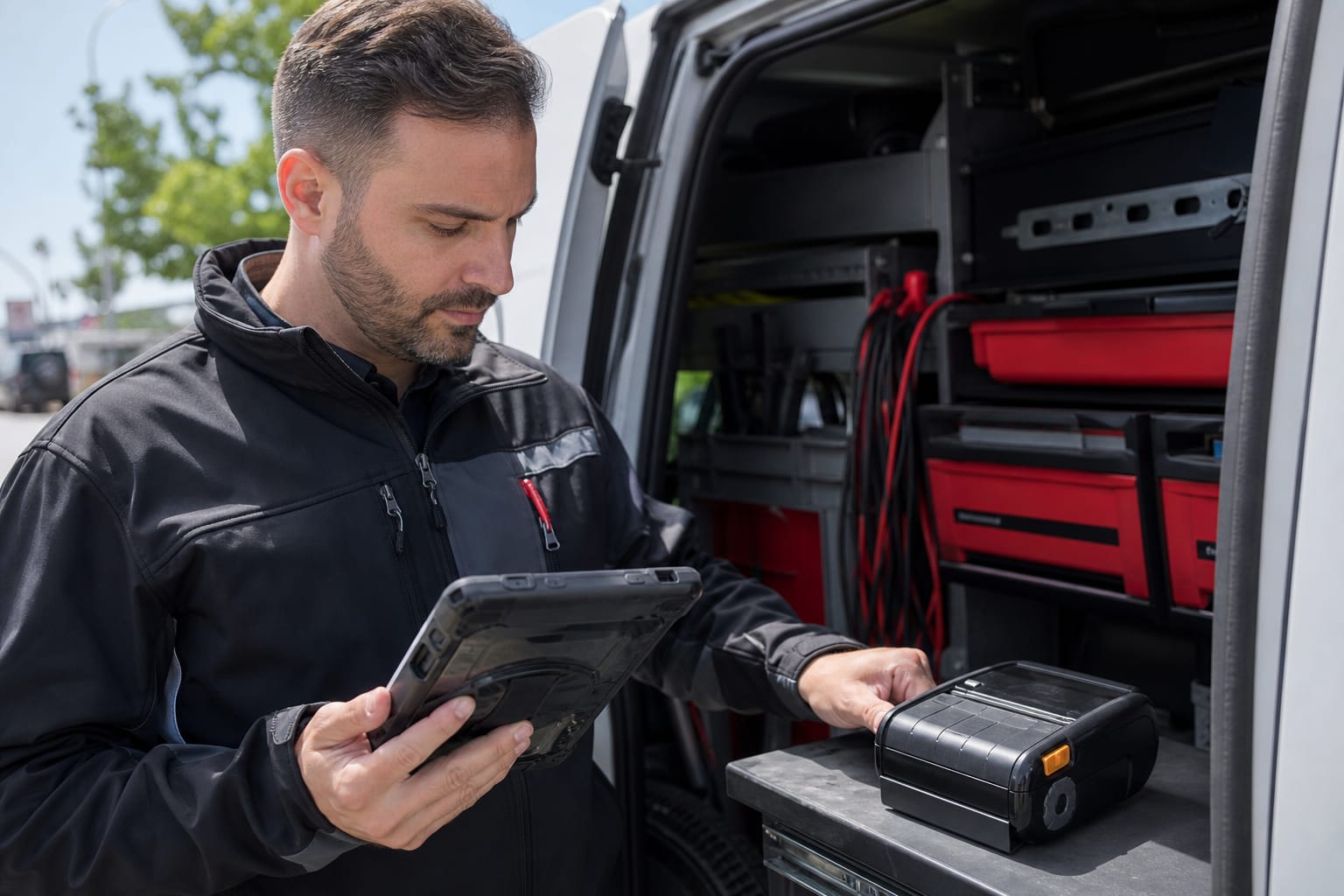
Where the record gets created in field service
The technician is at the customer site without the part, the history, or a way to prove what was done. The second visit costs more than the first one earned, and the paperwork arrives days later.
Van stock consumption at the job
- What physically happens
- A part is taken out of the vehicle and installed at the customer site.
- What is captured
- The technician scans the part as it leaves the van, so consumption is recorded at the job rather than reconstructed at the depot.
- What Mobi does with it
- Mobi Inventory holds the van stock position and the consumption events inside the approved deployment.
- Where the result lands
- The field service management system attaches the part to the work order; the ERP triggers replenishment.
Work order completion and proof of service
- What physically happens
- The job is finished and the customer signs for it on site.
- What is captured
- Signature, photographs, and meter readings are captured on a rugged tablet, and a receipt or label prints in the cab.
- What Mobi does with it
- Mobi Print sends the receipt or label to a supported Zebra mobile printer from the device.
- Where the result lands
- The field service management system closes the work order and triggers invoicing.
Asset and meter inspection
- What physically happens
- A technician inspects an asset that already carries a tag or a label.
- What is captured
- Scanning the asset pulls up the right record, so the inspection is filed against the correct equipment the first time.
- What Mobi does with it
- Mobi Inventory holds the asset records where the deployment includes them.
- Where the result lands
- The EAM or CMMS owns the maintenance history and the next due date.
Van replenishment
- What physically happens
- The vehicle returns to the depot and is restocked.
- What is captured
- A scan or read of the van reconciles what was consumed against what is being replaced.
- What Mobi does with it
- Mobi Inventory reports the consumption and the replenishment need per vehicle.
- Where the result lands
- The ERP issues stock and records the transfer to the vehicle.
What the equipment has to survive here
- There is no facility network, so devices work over cellular and have to tolerate losing it
- Vehicle power, mounting, and cab temperature limit which devices survive
- Displays have to stay readable in direct sunlight
- Devices are dropped, and a failed device strands a technician for the day
- Customer sites impose their own access, safety, and documentation rules
The system behind those workflows
- Physical capture
A part is consumed, an asset is inspected, or a job is signed off at the customer site.
Field capture succeeds or fails on whether the device works with no network, in the sun, in the cab, after a drop. Anything else and the technician writes it down and the record is created twice.
- How it is captured
- Mobile scanning, capture on rugged tablets, and printing in the vehicle
- Hardware at the capture point
- Rugged tablets — Run work orders, inspections, and signature capture in the field and the cab (opens the Arrowhead store in a new tab)
- Mobile computers — Scan parts, assets, and serial numbers at the job (opens the Arrowhead store in a new tab)
- Mobile printers — Print receipts, labels, and proof of service in the vehicle (opens the Arrowhead store in a new tab)
- Vehicle docks, mounts, and chargers — Keep the device powered, mounted, and usable across the route (opens the Arrowhead store in a new tab)
- Mobi software
What Mobi does with what was captured
Mobi Print handles printing from the field to supported Zebra printers. Mobi Inventory covers van stock and asset records where the deployment includes them.
- Current limits
- Mobi Print and Mobi Inventory are available today, and each Inventory deployment is scoped on approval. Dispatch, scheduling, and the work order itself stay in the customer's field service management system.
- System of record
Where the result has to land
Consumption, completion, and inspection results post to the field service system when connectivity allows, and queue in order when it does not.
- Systems this connects to
- Field service management · EAM or CMMS · ERP · Customer applications
- What you provide
- The field service or EAM interface and owner, the parts catalogue, the replenishment rule, and the documentation each customer site requires.
- Delivery and lifecycle
Who builds it, who runs it, and who answers when it breaks
- Discovery with dispatch and the technicians
- Device and vehicle mounting evaluation
- Staging and vehicle fit-out
- Rollout by route or region
- Integration and training
- Support, spares, and repair
What Arrowhead supplies and configures
- Device selection tested against sunlight, drops, and cab temperature
- Vehicle mounting, power, and charging design
- Staging, configuration, and kitting before the vehicle is fitted
- Rollout by route so the fleet is never all out of service
- Integration to the field service system and technician training
- Spare pool management and in-house repair
What you provide
- Vehicle access for fit-out and the fleet standard to work within
- Cellular plans and device enrollment
- The field service system interface and parts catalogue
- Technician time for training and the rollout schedule by route
When something stops working
Arrowhead supports the tablets, handhelds, printers, and mounts, holds the spare pool, and repairs devices in-house in Chandler, Arizona. Dispatch and the work order remain with the customer's system.
What we deliver for field service
The work Arrowhead scopes, supplies, installs, integrates, and supports for field service operations.
Mobile work-order management
Dispatch, update, and close work orders from the field.
Van & parts inventory
Track truck stock and consumption with barcode and RFID scanning.
Proof of service & delivery
Capture signatures, photos, and printed receipts on site.
Asset & meter inspection
Scan assets for fast, accurate inspections and maintenance.
Recommended hardware
The gear we deploy for field service—buy it direct from our online store, ArrowheadPHX.
Rugged Tablets
Durable touch computing for the field and the cab.
Shop Rugged TabletsMobile Computers
Handhelds for scanning parts and work orders.
Shop Mobile ComputersMobile Printers
Vehicle-mounted and portable receipt and label printing.
Shop Mobile PrintersBarcode Scanners
Fast capture of parts, assets, and serial numbers.
Shop Barcode ScannersAccessories & Mounts
Vehicle docks, chargers, and cables.
Shop Accessories & MountsRugged Cases
Protection that keeps devices working in the field.
Shop Rugged CasesChallenges we solve
- Technician productivity
- Parts and inventory management
- Work order management
- Customer communication
Recommended solutions
What the proof actually shows
Every claim below is labeled with who produced it. Arrowhead delivering a system, a vendor publishing a result from another partner's deployment, a credential a third party issued us, software we run ourselves, a capability we offer, and a direction we have not shipped are different things, and they are labeled differently.
- Vendor-supported result
Zebra Technologies publishes field-service asset management references such as DRMP.
Delivered by another partner and published by the vendor. Arrowhead did not deliver it and it is shown as an industry reference.
See the detail - General capability
Spare devices are held and failed units are repaired in-house so a technician is not stranded for a shipping cycle.
Describes Arrowhead's spare pool and repair service. It is a capability offered, not a published customer outcome.
See the detail - Accredited capability
Zebra printers, mobile computers, scanners, and RFID readers are repaired in-house in Chandler, Arizona.
Arrowhead is an authorized Zebra Elite Service Center with Zebra-certified repair technicians. Turnaround depends on model, failure, parts, and coverage.
See the detail
Published case studies in field service
Each card says who delivered the system. A vendor reference is a result another partner delivered and Zebra published; it is not evidence that Arrowhead built it.
Frequently Asked Questions
What to do next
Tell us the routes, the vehicles, and the field service system. We return device options, a vehicle fit-out plan, and a rollout schedule by route.
Plan a field device rolloutRelated on this site
Planning field service data capture?